

The team dashboard.
The session, the match and the squad, by role, with the application's own screens. Then the sport and the data.
A club's week, in one place.
A club's work happens in three moments. Squadroom is in all three, and what you write in one is already done in the next.
- 1
Before the game
Sessions built once and reused, moves drawn on the board and published to the squad, and the call-up locked the moment you publish it.
- Reusable training plans
- Tactics published to the squad
- The call-up as an image, to share where the team already talks
- 2
During the game
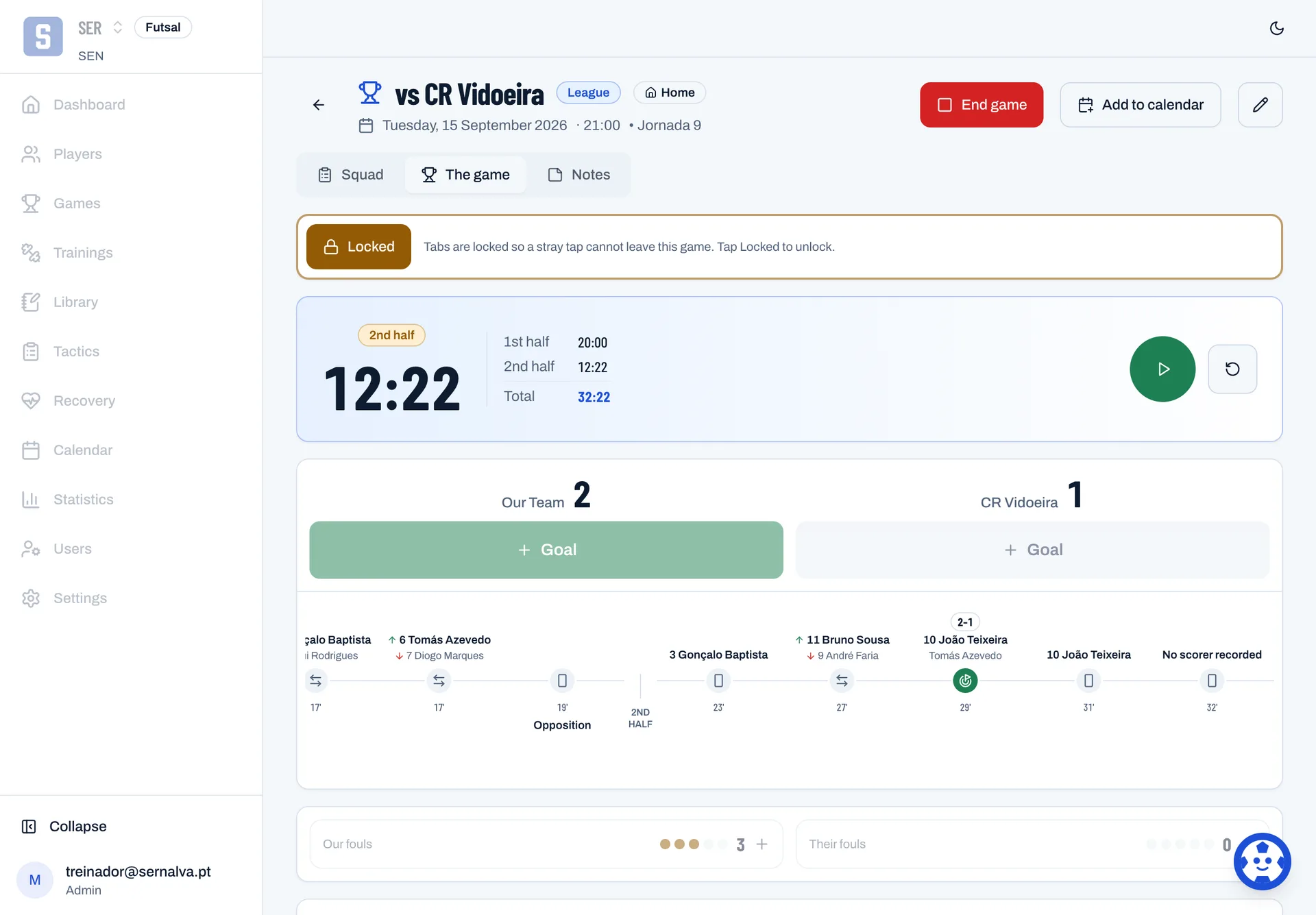
The sheet is filled in on the sideline, on a phone. The clock runs on the game and not on the device, so a second phone in the stand shows the same time.
- The clock runs on the game, not the device
- Team fouls counted to five
- Substitutions carry the minute they happened
- 3
After the game
Fix whatever slipped past without a rush. Every minute, goal and attendance comes out of what was recorded.
- Fix and attribute what was missed
- Statistics by season and by competition
- The whole season in one Excel file
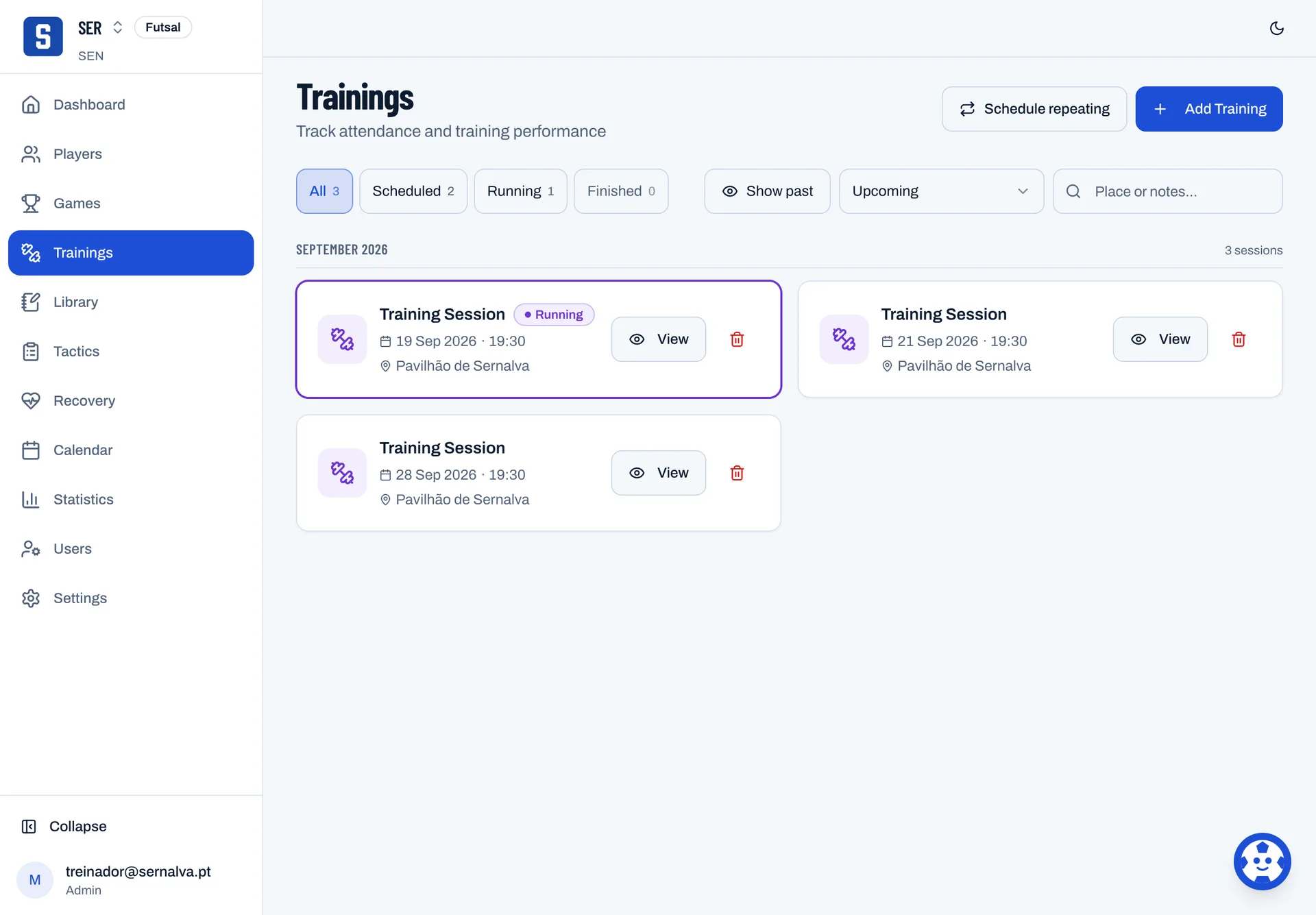
Training
Tuesday's session, from the plan to the register.
- Build the plan once and use it again
- Run the session block by block, timing each one
- Mark attendance and effort from 1 to 10

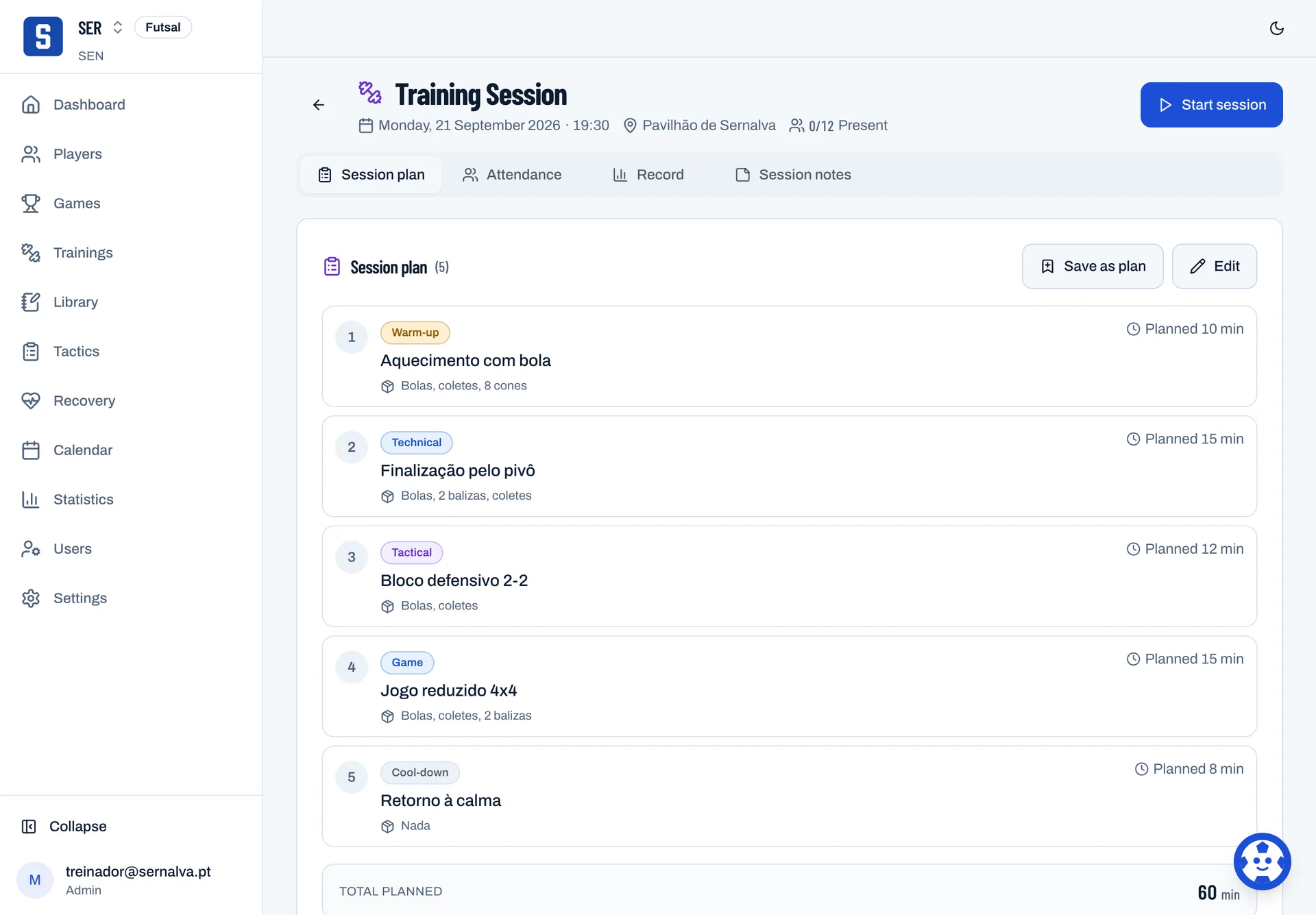
The session plan
Inside the session is the night's plan, block by block, with the minutes planned for each.

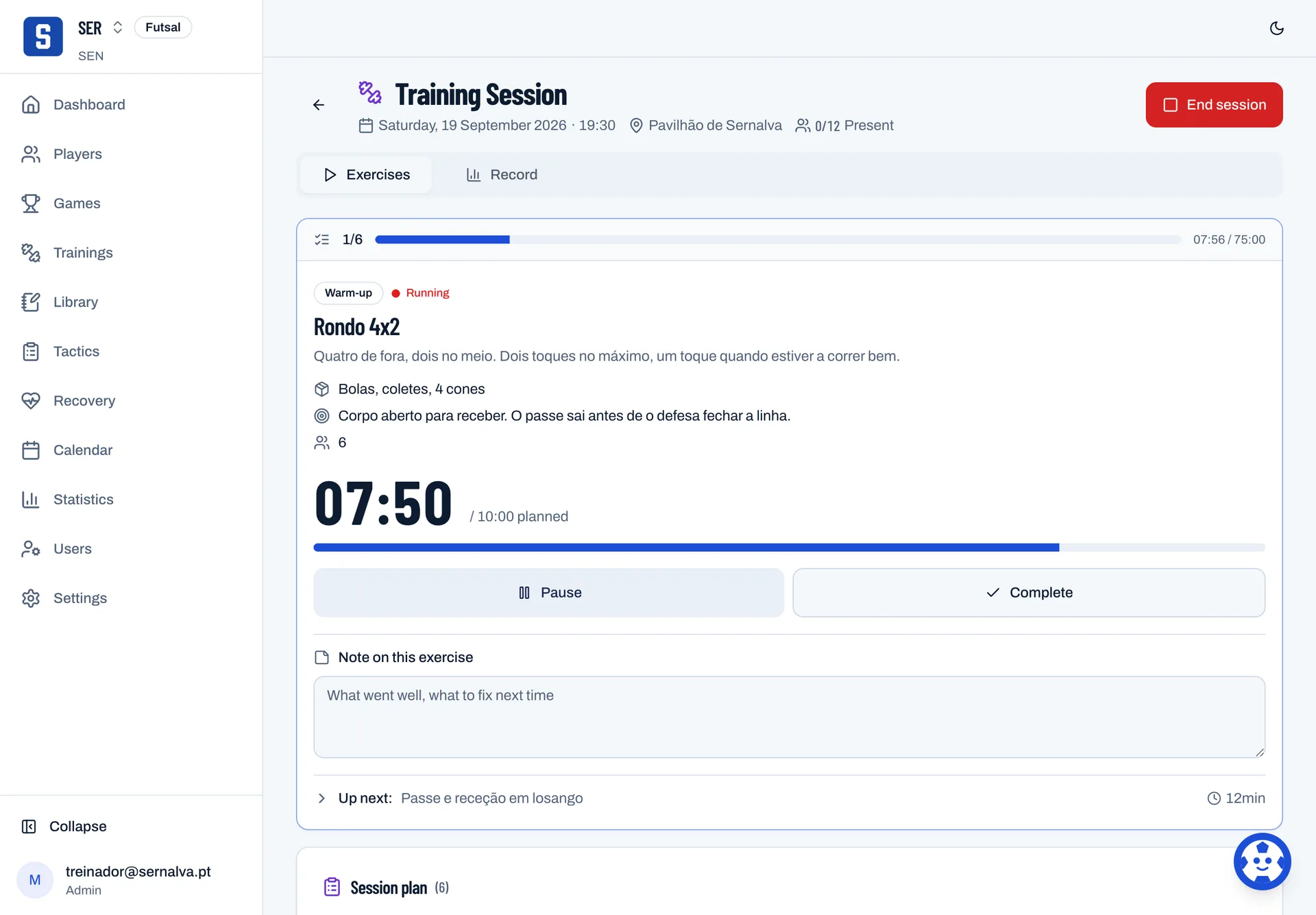
The session running
With the session under way each block has its own clock, and the register fills in at the pavilion.

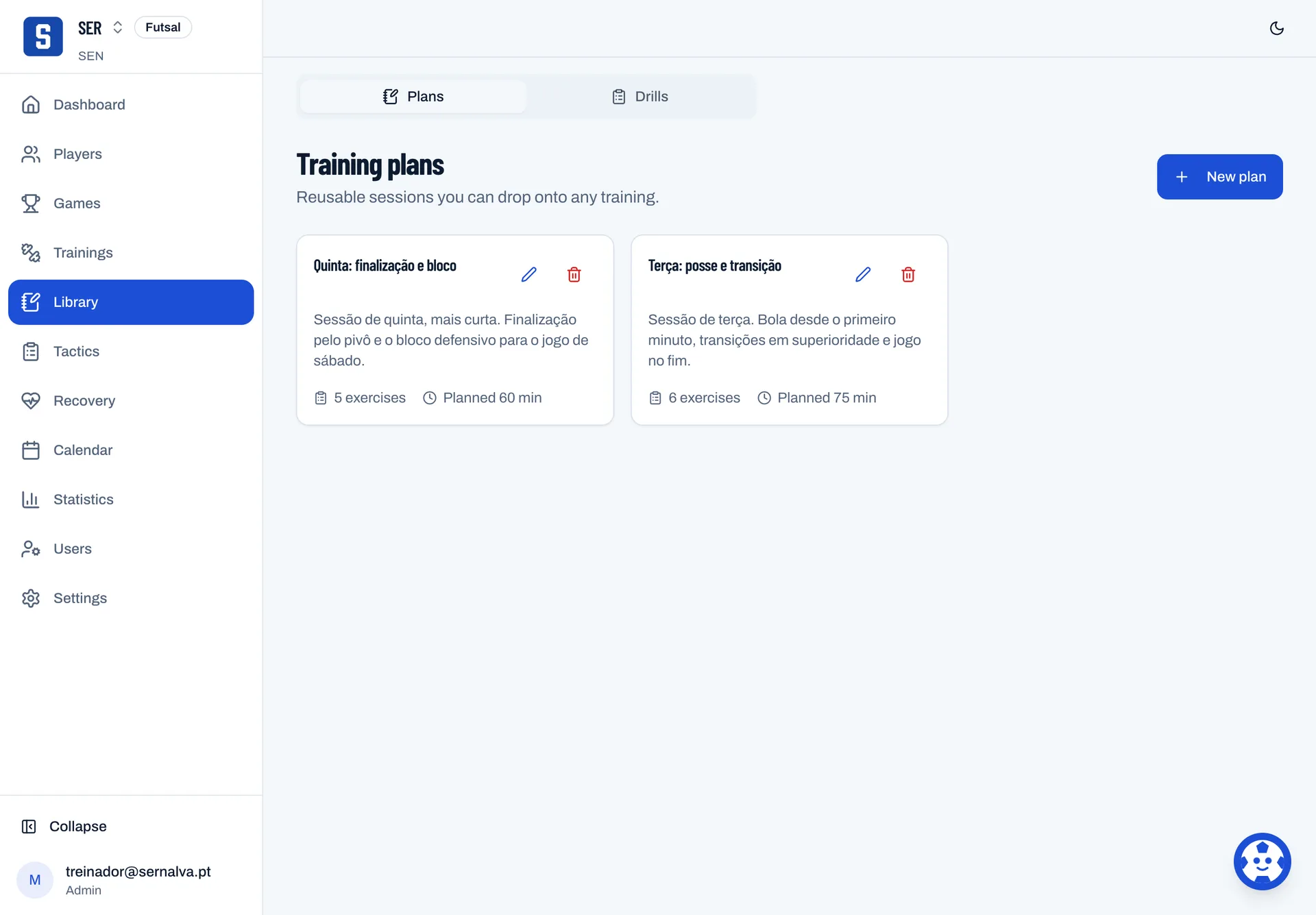
Drills
The club's library, and the court where a drill is drawn.
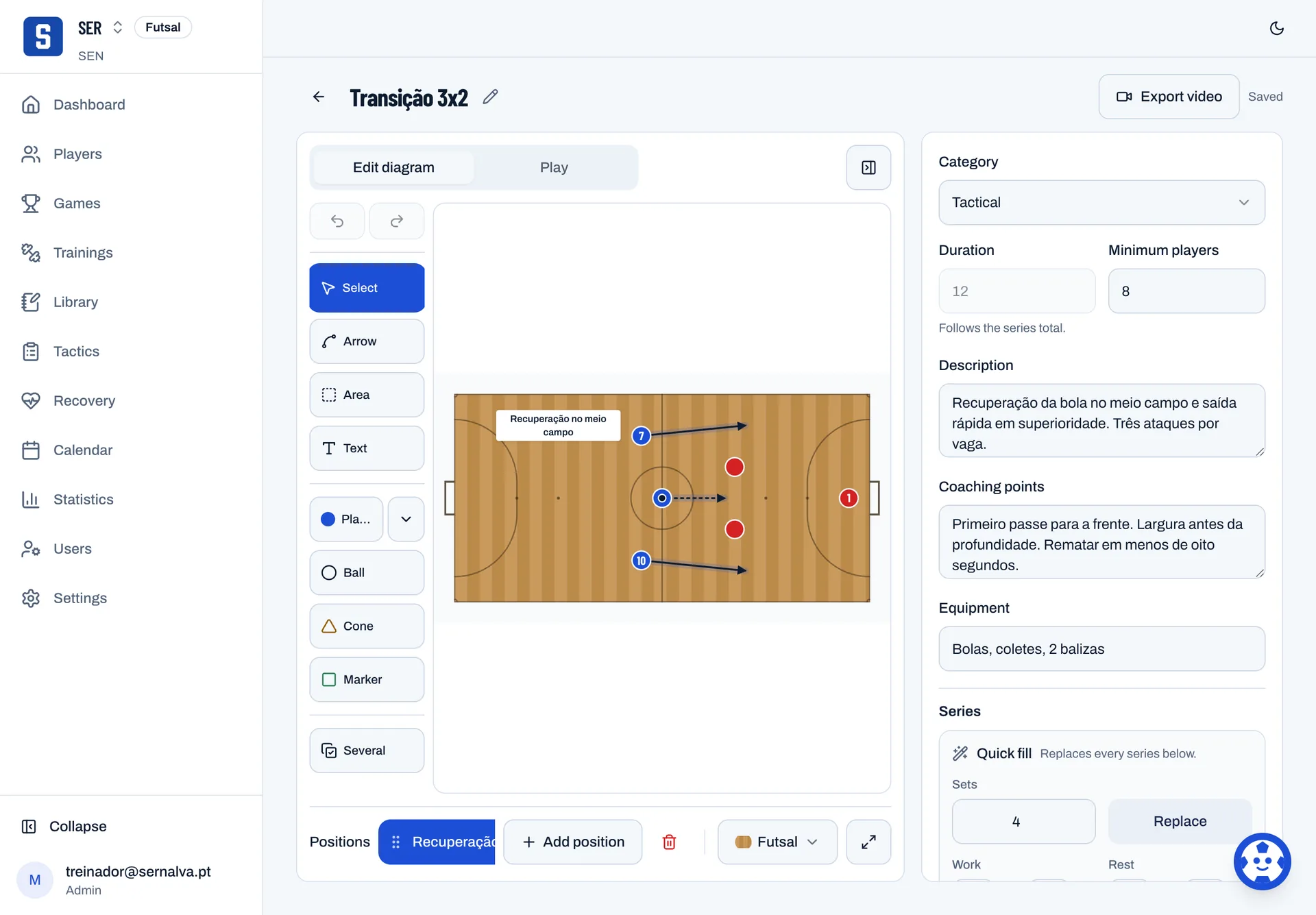
- Draw the drill with players, ball, cones and arrows
- Keep the coaching points, the equipment and the duration
- Put drills together into a plan you reuse

A drill on the court
Every drill is drawn on the court, with the coaching points, the equipment and the duration beside it.

Tactics
One board per moment, and the squad watches the move run.
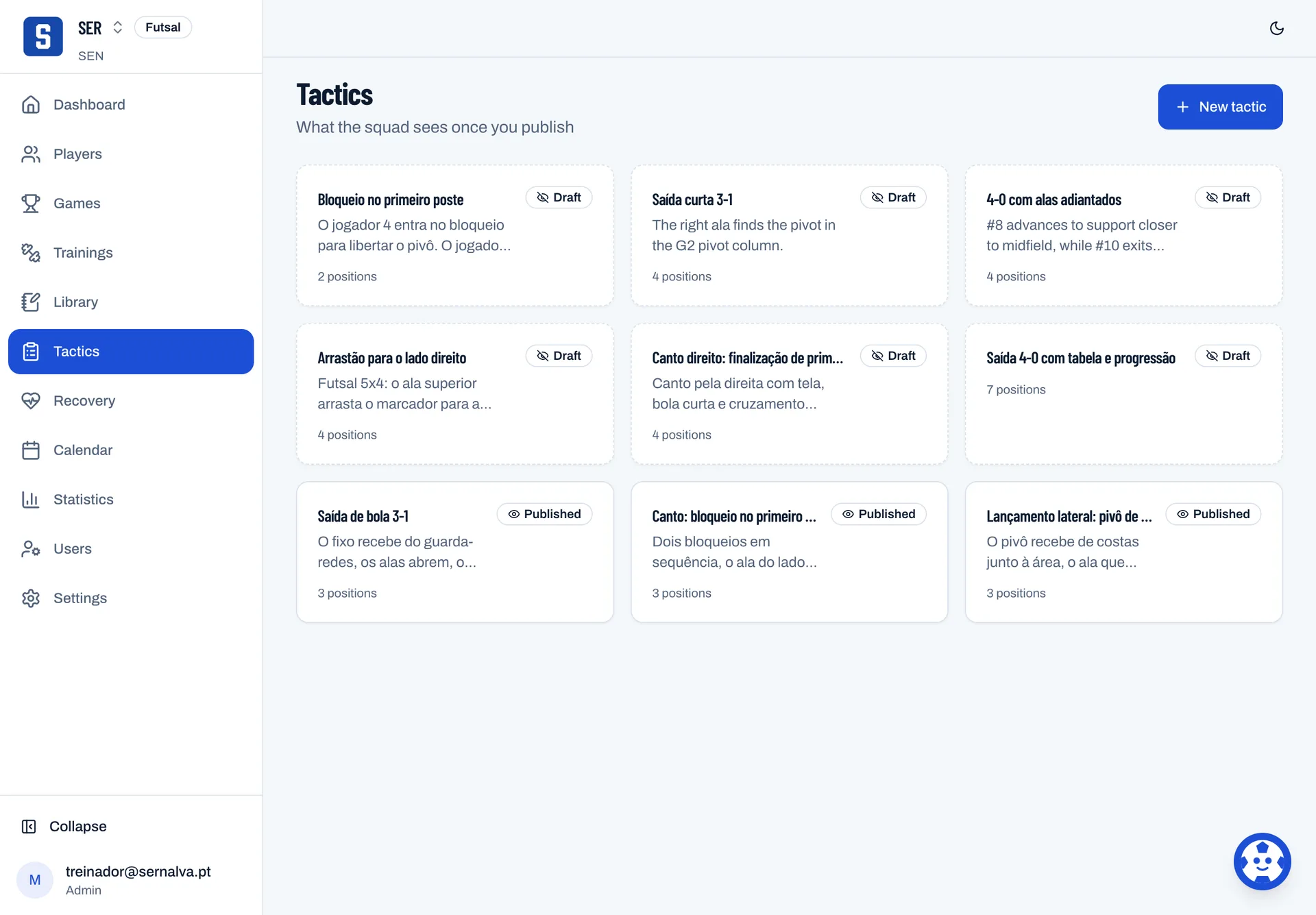
- Draw each moment of the move
- Publish, and only then does the squad see it
- Export as video once it has more than one moment

The tactics board
It is the same board the squad opens when you publish a move.
Try it Press play.
Match
From the call-up to the final whistle, on a phone at the touchline.
- Call up the fit players first, publish to lock the list
- Log goals, fouls and substitutions with the right minute
- The clock runs on the game, not on the device

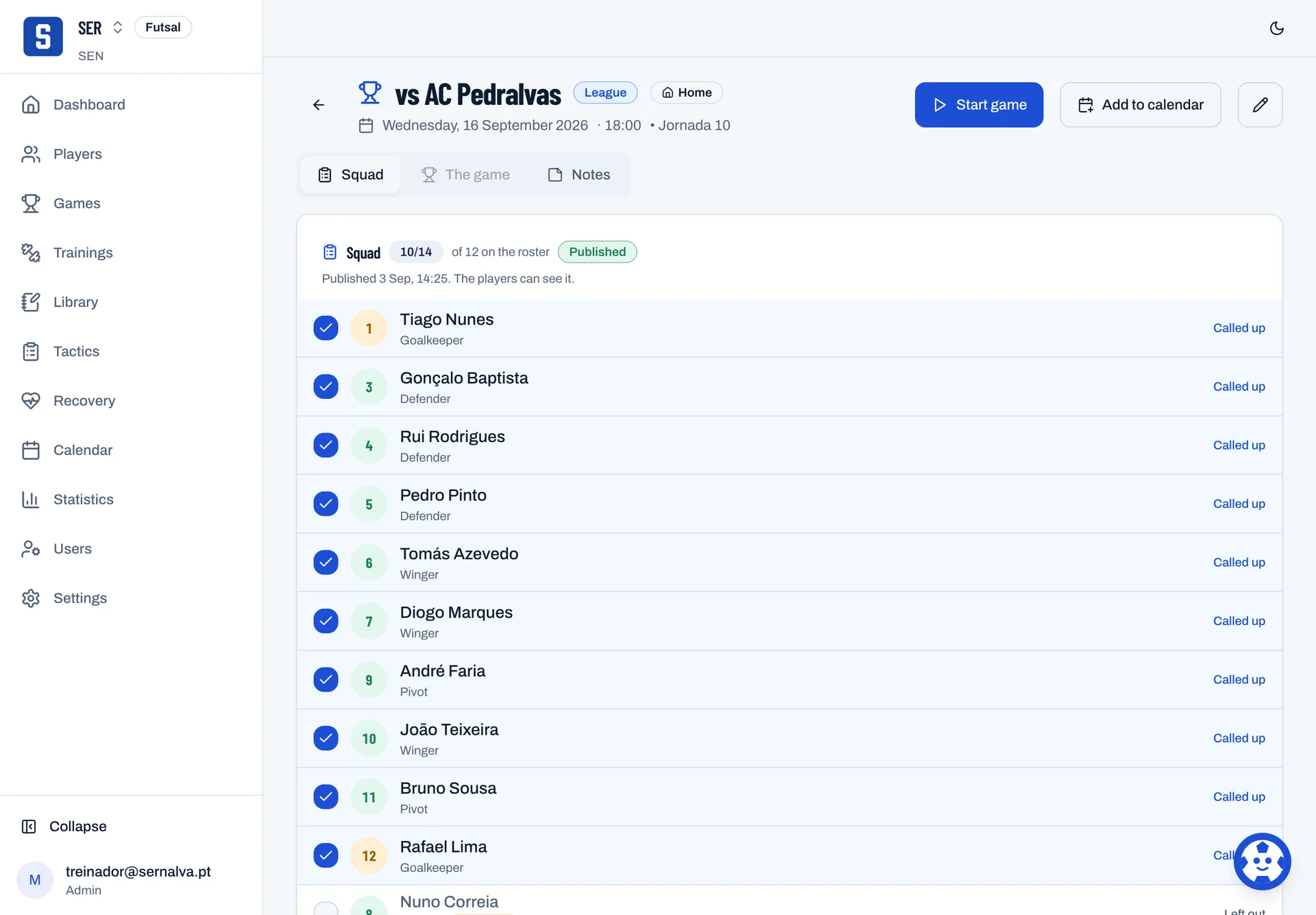
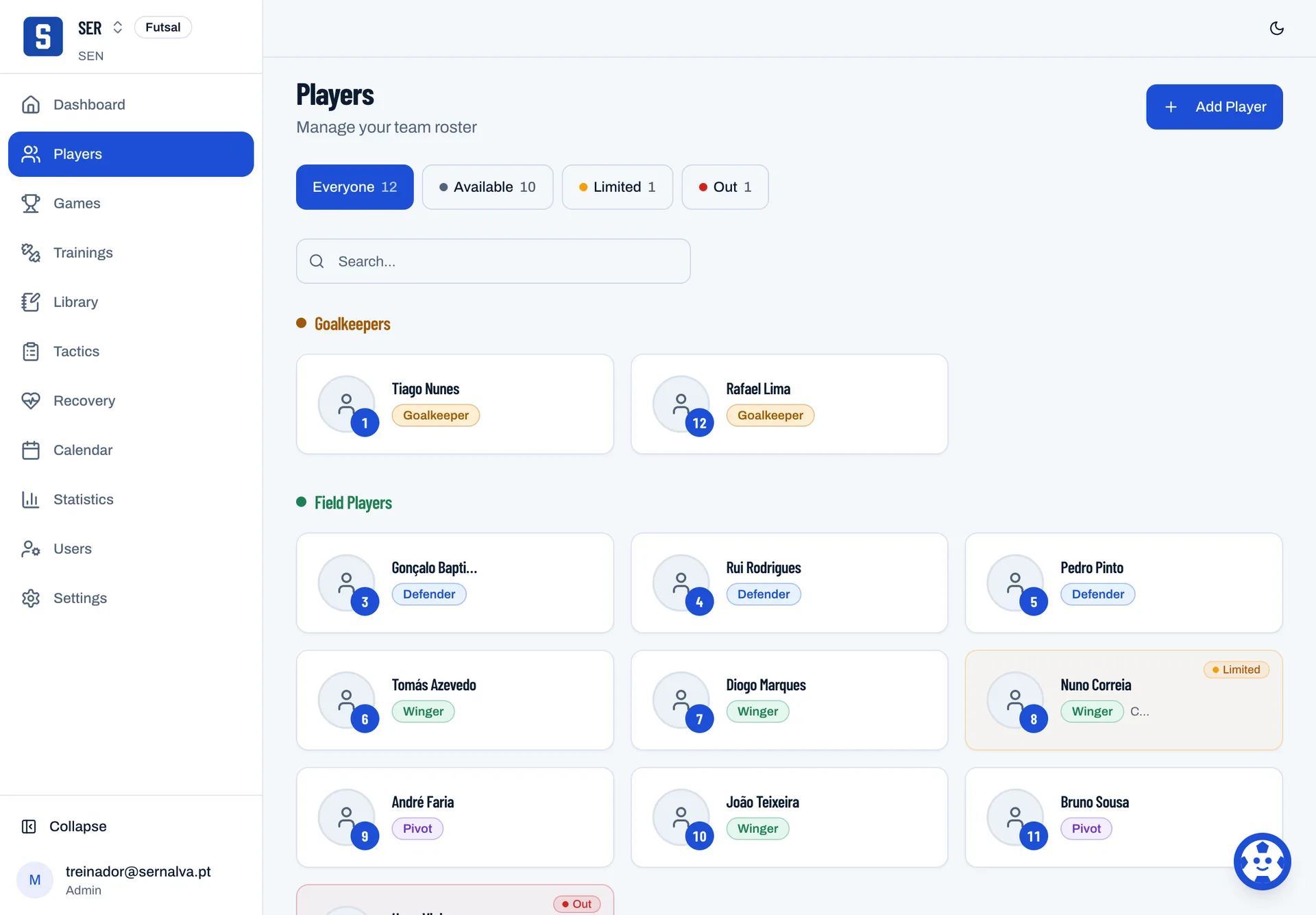
The call-up
The list comes ordered by availability and locks the moment you publish it.

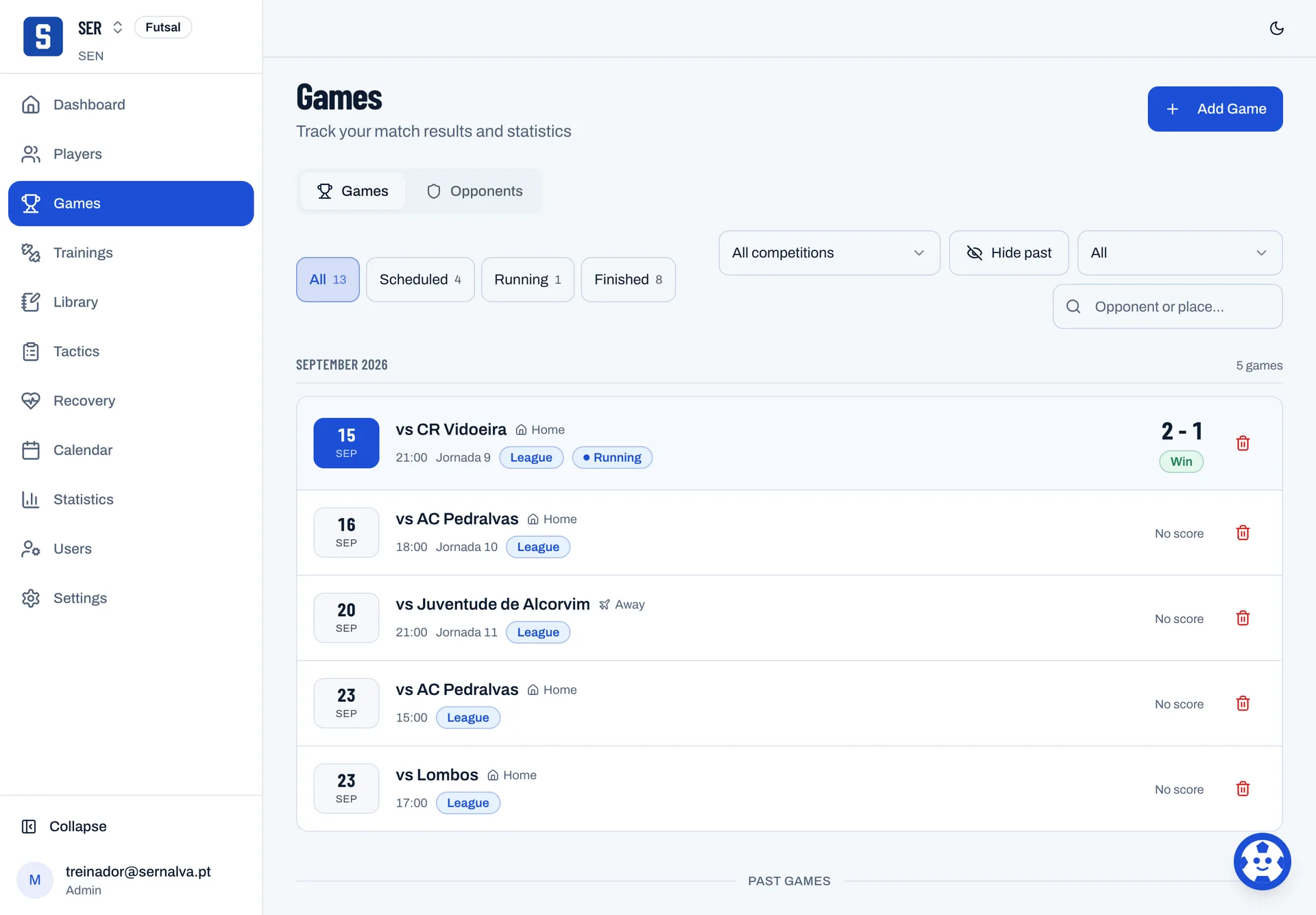
The game under way
With the game running the clock is stored on the game, and every entry keeps the minute it happened.

Squad and health
Who is fit, who is out, and what stays private.
- See the squad by availability at a glance
- Record the reason, the return date and measurements
- Assign a recovery protocol until a date

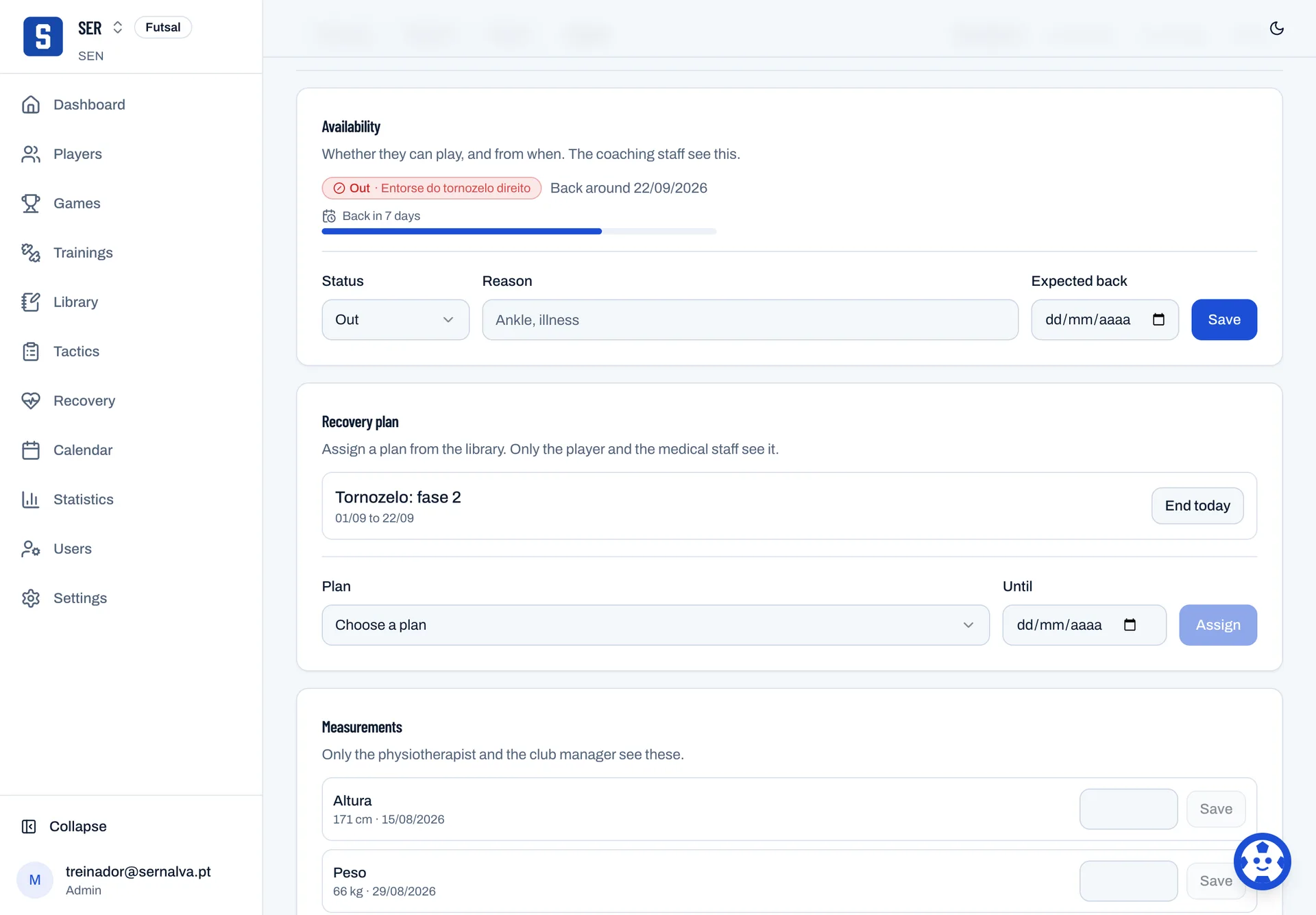
A player's record
Every player has availability with a reason and a return date, measurements and clinical notes.

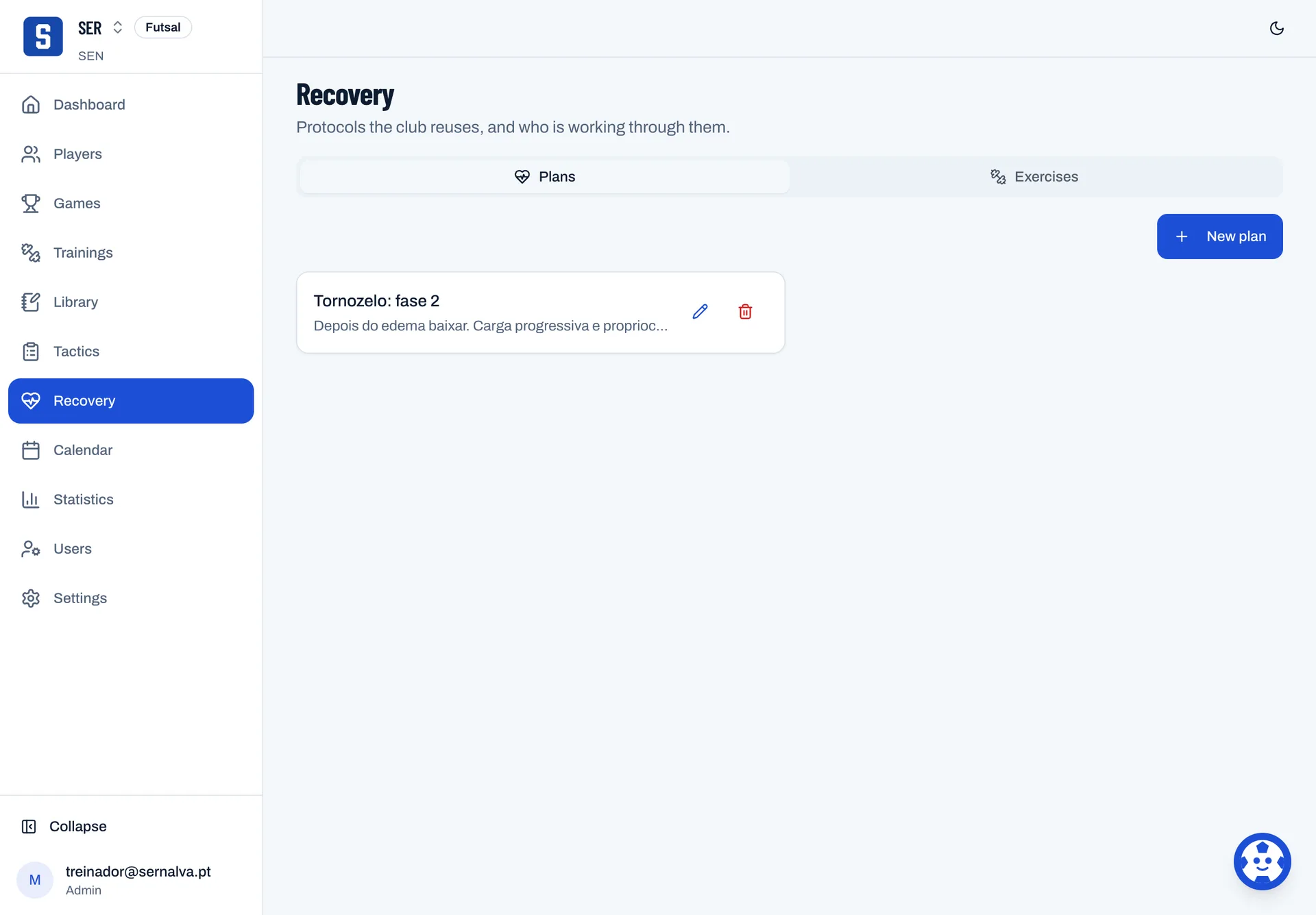
The protocols
Protocols live in the library and are assigned to a player until a date.

Numbers
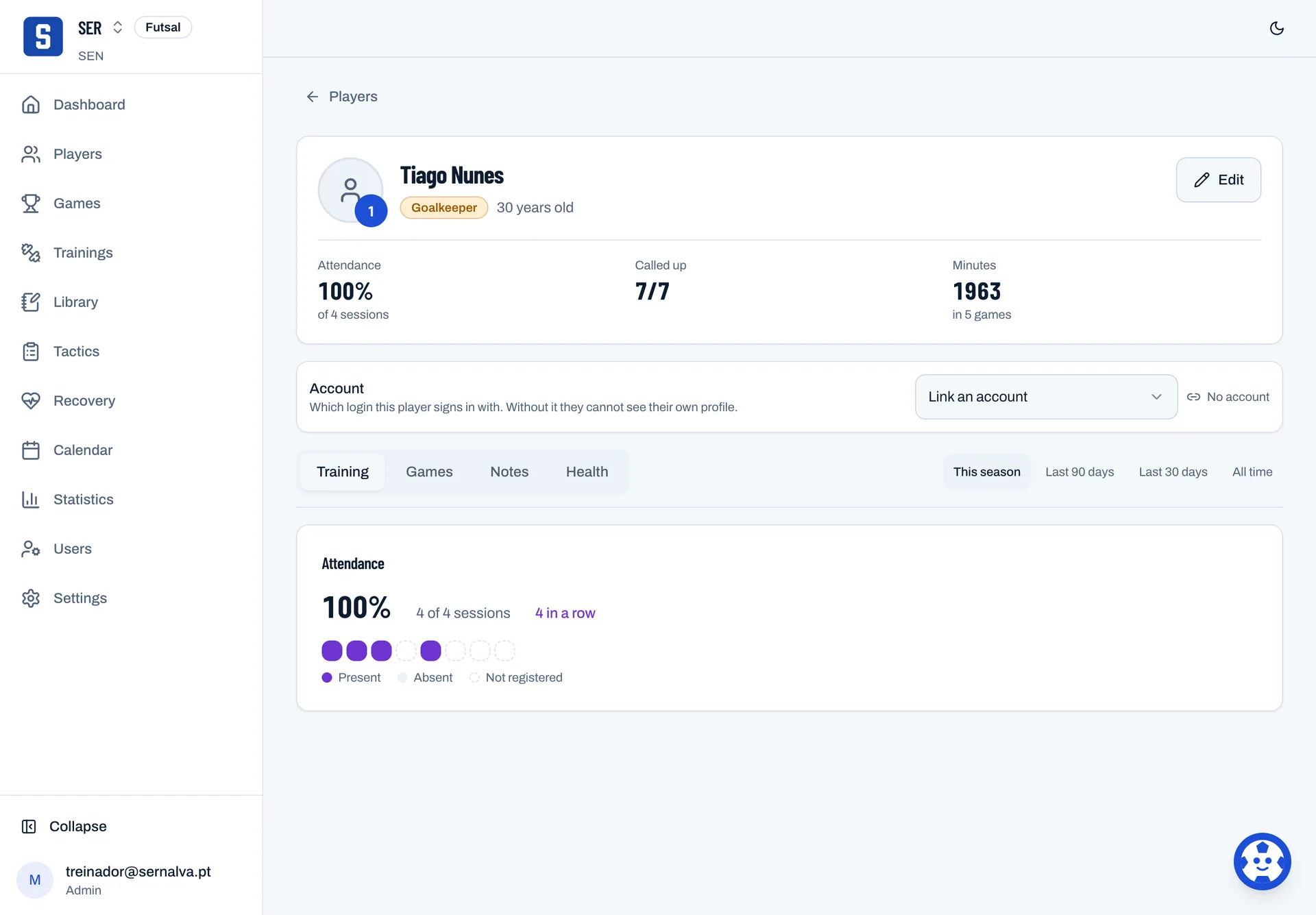
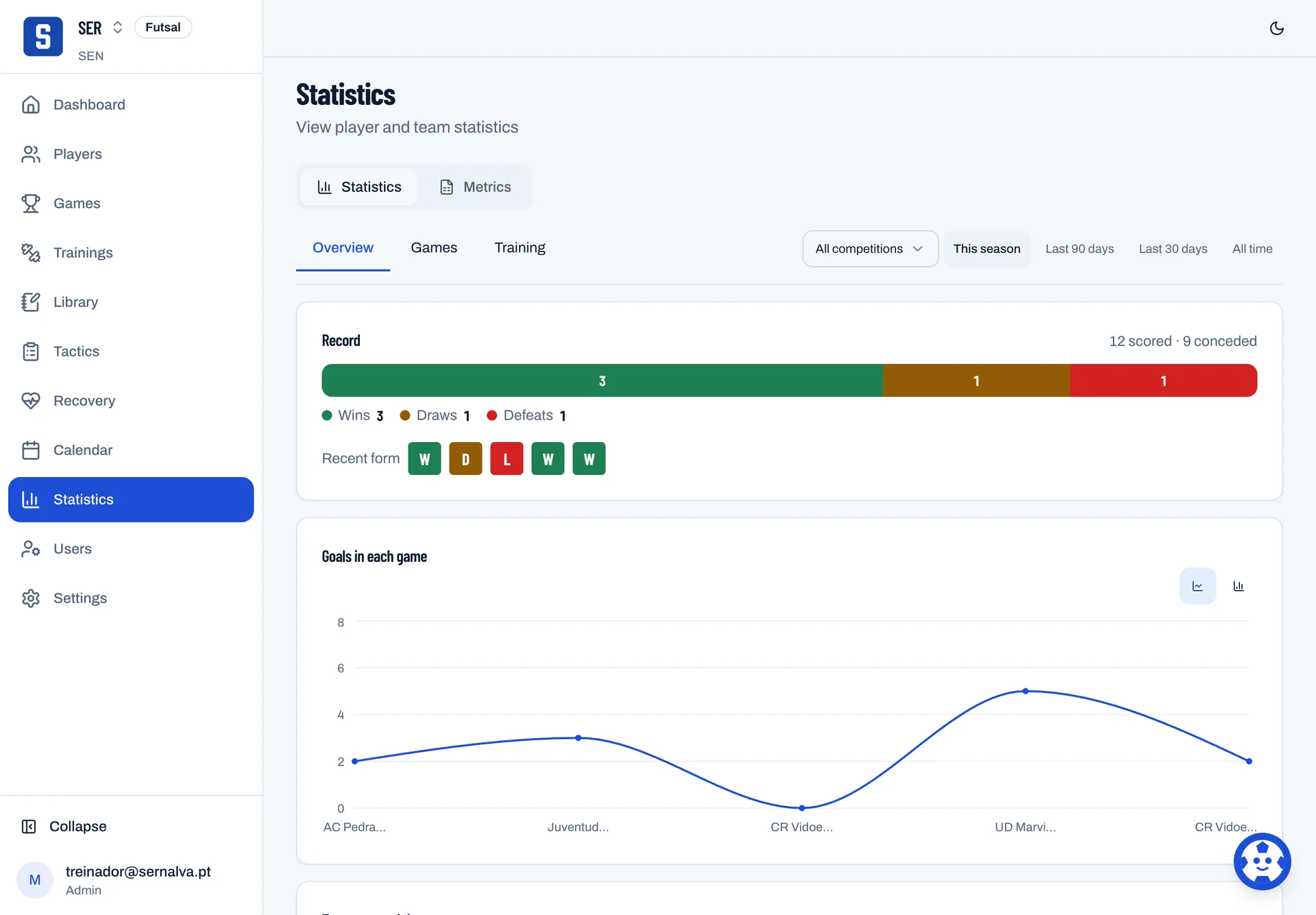
Everything you recorded, totalled by player and by team.
- Attendance, call-ups and minutes for every player
- Results and goals by season or by competition
- The whole season in one Excel file

The statistics
The team's statistics total what was recorded, by season or by competition.

Training
Tuesday's session, from the plan to the register.
- Build the plan once and use it again
- Run the session block by block, timing each one
- Mark attendance and effort from 1 to 10
Drills
The club's library, and the court where a drill is drawn.
- Draw the drill with players, ball, cones and arrows
- Keep the coaching points, the equipment and the duration
- Put drills together into a plan you reuse
Tactics
One board per moment, and the squad watches the move run.
- Draw each moment of the move
- Publish, and only then does the squad see it
- Export as video once it has more than one moment
Try it Press play.
Match
From the call-up to the final whistle, on a phone at the touchline.
- Call up the fit players first, publish to lock the list
- Log goals, fouls and substitutions with the right minute
- The clock runs on the game, not on the device
Squad and health
Who is fit, who is out, and what stays private.
- See the squad by availability at a glance
- Record the reason, the return date and measurements
- Assign a recovery protocol until a date
Numbers
Everything you recorded, totalled by player and by team.
- Attendance, call-ups and minutes for every player
- Results and goals by season or by competition
- The whole season in one Excel file
One club, several teams.
Each team with its own squad, calendar and statistics. The crest and the staff belong to the club; drills, plans and tactics stay with the teams their coach picks, or the whole club.
Who sees what, by role
A different menu, different data.
It is not the same screen with buttons hidden. Each role gets its own part of the club.
-
Club manager
Every team, the roster, health and who joins the club. If the club uses club management, that too.
Does not see Can be given club management alone, without the team dashboard.
-
Coach
The teams they are given: training, tactics, the call-up, the match and statistics.
Does not see No clinical notes nobody shared, and no fees or club paperwork.
-
Physio
The clinical record, measurements and recovery plans of the teams they are given.
Does not see Of the coaching work, only what the club decides. The call-up and tactics are never theirs.
-
Player
Their call-up, the next game, their own numbers and published tactics.
Does not see Not teammates' numbers, not the staff's notes, and nothing unpublished.
What a player opens.
One question: am I playing? The next game, whether they are called up, where and when to meet, and their own fees.

Notes stay private until shared.
The clinical record belongs to whoever treats. A note reaches a player only when whoever wrote it decides to share it, and each club decides how much of the coaching work the physiotherapist gets.

Whose it is, and who sees it.
Names, dates of birth, attendance, match records and, if the club uses that part, clinical notes. Often about minors.
- Each club is closed to itself. A request made from one club returns no data from another.
- The health record is separated at the database level. Measurements reach only whoever does physiotherapy and the club manager.
- A note stays with whoever wrote it until they choose to share it.
- Squady, where a club has it, works with the session of whoever is asking: it reads what that person could already read, nothing is saved without a yes, and it never publishes.
- The whole season comes out in Excel whenever you want.
Roadmap
-
Club management
Fees, every athlete in the club and the calendar of every team.
-
A library of drills and tactics
Ready-made drills and moves, for futsal and football, to copy and adapt.
-
More sports
The match sheet and the clock are already written per sport. After futsal and football, the next ones.

Want to see this with your own club?
Accounts are created by invitation.